
Organisations use more communication channels than ever. Yet when a disruption occurs, it can be surprisingly difficult to quickly reach the very people who need to be informed. Making sure they have noticed the message can be even harder. An effective solution does not, however, require a complex implementation project.
Consider a typical scenario: a disruption is detected in an organisation’s operations, and staff need to be informed quickly. Some employees are at their workstations, others are moving between locations, and some work in roles where they do not check email or Teams continuously. The disruption may also occur in the evening, at night or on a public holiday, when the people needed to handle the situation may be off duty.
Multiple channels are often used just to be on the safe side: a Teams message, an email and a text message are sent, followed by a phone call a little later. Even then, it may be unclear who the organisation has tried to reach and who has actually been reached. Time is spent trying to reach people instead of resolving the disruption.
Sending a message does not necessarily mean you have reached people
Email, Teams and other everyday communication tools work well for their intended purposes. When information needs to be shared urgently, however, the issue is not necessarily a lack of communication channels. It may be that the sender does not know who has noticed the message and is able to respond to the situation.
If news of a disruption does not reach the right people in time, resolving the situation may also be delayed. For example, a disruption to a municipal water supply requires the people responsible for managing the situation to be reached quickly and, where necessary, other employees to be informed of its impact. In an educational institution, a power outage or a security threat may require staff in different buildings and locations to be informed quickly.
During a production disruption, the time it takes to reach maintenance personnel can prolong the production stoppage. Cyber and IT incidents call for a rapid response, communication and incident management, as well as compliance with regulatory requirements.
In Secapp’s customer study1, the most critical use cases were sudden security threats, alerting outside working hours and situations where standard communication channels, such as Teams, are not working.
Urgent communication should therefore also be assessed from a business continuity perspective. How much time does your organisation spend trying to reach people, and what practical consequences could a delay have?
Three things to get right in urgent communication
The principle behind an effective alerting and messaging solution is simple. An organisation needs to be able to answer three questions:
1. How do we reach the right people quickly?
A disruption may affect the entire workforce, a single location or only a specific group of specialists. If suitable recipient groups have not been defined in advance, an urgent message may be sent to everyone just to be on the safe side. This also places a burden on employees who are not affected. Messages need to be targeted at the right recipients without having to start compiling a recipient list once the situation is already unfolding.
2. How do we make sure the message has been noticed?
Confirmation that a message has been sent does not tell you whether the recipient has responded to it. Acknowledgements allow you to track who has responded to the message and who has yet to acknowledge it.
3. How do we keep everyone who needs to be involved up to date?
Disruptions evolve. After the initial notification, it may be necessary to issue new instructions, request further information or announce that the situation is over. Communication must remain effective after the initial alert.
Reach the people you need through a single system with Secapp
With Secapp’s alerting and messaging functionality, organisations can quickly reach the people they need, share instructions and monitor responses to messages. Alert and message templates can be prepared in Secapp in advance for situations such as technical disruptions, alerting personnel or other incidents. The message content, recipients, communication channels and alert priority can all be defined in the templates.
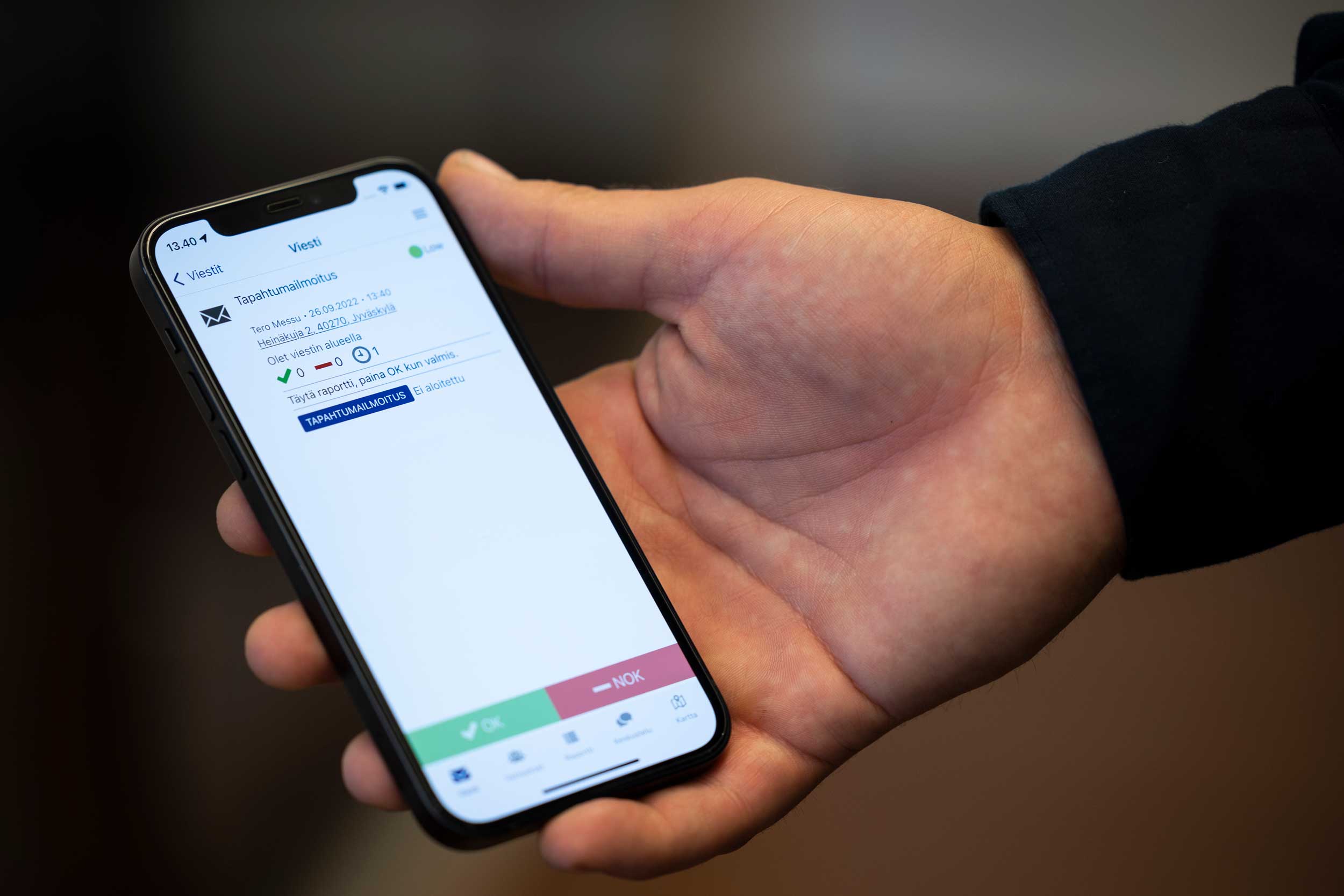
When a disruption occurs, a predefined alert can be sent quickly without the sender having to write a message, look up contact details or choose communication channels. Secapp can use multiple channels to reach people, including the mobile app, text messages and email. This means the sender does not have to send the message separately through each channel.
In the most urgent situations, Secapp’s high-priority alerts can also be configured to bypass a phone’s silent mode settings. The alert can then sound and attract the recipient’s attention even when the phone is set to silent. The feature is available on Android phones and iPhones when the necessary permissions and settings have been configured.
Secapp also allows you to request an acknowledgement from recipients. This lets the sender see who has responded to the message and, if necessary, follow up with those who have yet to acknowledge it. For example, the relevant employees can be notified quickly of a technical fault in a building, asked to acknowledge the instructions they receive and informed when the situation is over.
Secapp’s importance is also reflected in customers’ experiences. In the 2026 customer study¹, 67% of respondents considered Secapp important to their operations, and around one in five considered it critical to their operations.
The fire brigade at SSAB’s Raahe plant manages alerts and communications through a single system
Watch the video for an example of Secapp in use, or read the SSAB Raahe customer story.
You can start with a single need
Adopting a critical communications and alerting solution may sound like a major project. In practice, the need may be very specific: for example, an organisation may simply want to make sure the right employees are informed quickly when a disruption occurs.
You can start using Secapp for a single, clearly defined use case, such as notifying staff of disruptions, alerting the on-call team or reaching employees at a specific location.
Secapp implementation begins with joint planning to define how the system will be used, who will send alerts, the recipient groups, and the message templates and procedures needed. The scope of implementation and the training provided depend on the organisation’s needs.
During implementation training, customers have expressed a sense of relief: their organisation finally has a shared solution for alerting and reaching people without having to decide which communication channel to use at the time.
Use can later be expanded to new use cases and other departments. This allows the organisation to address its most urgent need first and develop its operations based on experience.
Could you reach the employees you need quickly today?
A few questions can help you assess how well your organisation currently communicates during disruptions:
- Have you agreed on a shared procedure for urgent communication?
- Is it clear who sends the alert and who should receive it?
- Can the message be delivered through more than one channel?
- Can you see who has acknowledged the message?
- Have message templates been prepared for the most common disruptions?
If any of these questions is difficult to answer, there may be room to improve communication during disruptions. You do not, however, need to change all your communication practices at once.
Let’s explore how Secapp could meet your organisation’s needs
Would you like to make sure important messages reach the right people, even in urgent situations?
Book a demo with a Secapp expert to review your organisation’s current communication practices and see how Secapp can address your main challenges in reaching people.
Sources
1 Dagmar (2026). Qualitative In-Depth Customer Interviews Study. The customer study was commissioned by Secapp (n=15).
Organisations use more communication channels than ever. Yet when a disruption occurs, it can be surprisingly difficult to quickly reach the very people who need to be informed. Making sure they have noticed the message can be even harder. An effective solution does not, however, require a complex implementation project.
Consider a typical scenario: a disruption is detected in an organisation’s operations, and staff need to be informed quickly. Some employees are at their workstations, others are moving between locations, and some work in roles where they do not check email or Teams continuously. The disruption may also occur in the evening, at night or on a public holiday, when the people needed to handle the situation may be off duty.
Multiple channels are often used just to be on the safe side: a Teams message, an email and a text message are sent, followed by a phone call a little later. Even then, it may be unclear who the organisation has tried to reach and who has actually been reached. Time is spent trying to reach people instead of resolving the disruption.
Sending a message does not necessarily mean you have reached people
Email, Teams and other everyday communication tools work well for their intended purposes. When information needs to be shared urgently, however, the issue is not necessarily a lack of communication channels. It may be that the sender does not know who has noticed the message and is able to respond to the situation.
If news of a disruption does not reach the right people in time, resolving the situation may also be delayed. For example, a disruption to a municipal water supply requires the people responsible for managing the situation to be reached quickly and, where necessary, other employees to be informed of its impact. In an educational institution, a power outage or a security threat may require staff in different buildings and locations to be informed quickly.
During a production disruption, the time it takes to reach maintenance personnel can prolong the production stoppage. Cyber and IT incidents call for a rapid response, communication and incident management, as well as compliance with regulatory requirements.
In Secapp’s customer study1, the most critical use cases were sudden security threats, alerting outside working hours and situations where standard communication channels, such as Teams, are not working.
Urgent communication should therefore also be assessed from a business continuity perspective. How much time does your organisation spend trying to reach people, and what practical consequences could a delay have?
Three things to get right in urgent communication
The principle behind an effective alerting and messaging solution is simple. An organisation needs to be able to answer three questions:
1. How do we reach the right people quickly?
A disruption may affect the entire workforce, a single location or only a specific group of specialists. If suitable recipient groups have not been defined in advance, an urgent message may be sent to everyone just to be on the safe side. This also places a burden on employees who are not affected. Messages need to be targeted at the right recipients without having to start compiling a recipient list once the situation is already unfolding.
2. How do we make sure the message has been noticed?
Confirmation that a message has been sent does not tell you whether the recipient has responded to it. Acknowledgements allow you to track who has responded to the message and who has yet to acknowledge it.
3. How do we keep everyone who needs to be involved up to date?
Disruptions evolve. After the initial notification, it may be necessary to issue new instructions, request further information or announce that the situation is over. Communication must remain effective after the initial alert.
Reach the people you need through a single system with Secapp
With Secapp’s alerting and messaging functionality, organisations can quickly reach the people they need, share instructions and monitor responses to messages. Alert and message templates can be prepared in Secapp in advance for situations such as technical disruptions, alerting personnel or other incidents. The message content, recipients, communication channels and alert priority can all be defined in the templates.
When a disruption occurs, a predefined alert can be sent quickly without the sender having to write a message, look up contact details or choose communication channels. Secapp can use multiple channels to reach people, including the mobile app, text messages and email. This means the sender does not have to send the message separately through each channel.
In the most urgent situations, Secapp’s high-priority alerts can also be configured to bypass a phone’s silent mode settings. The alert can then sound and attract the recipient’s attention even when the phone is set to silent. The feature is available on Android phones and iPhones when the necessary permissions and settings have been configured.
Secapp also allows you to request an acknowledgement from recipients. This lets the sender see who has responded to the message and, if necessary, follow up with those who have yet to acknowledge it. For example, the relevant employees can be notified quickly of a technical fault in a building, asked to acknowledge the instructions they receive and informed when the situation is over.
Secapp’s importance is also reflected in customers’ experiences. In the 2026 customer study¹, 67% of respondents considered Secapp important to their operations, and around one in five considered it critical to their operations.
The fire brigade at SSAB’s Raahe plant manages alerts and communications through a single system
Watch the video for an example of Secapp in use, or read the SSAB Raahe customer story.
You can start with a single need
Adopting a critical communications and alerting solution may sound like a major project. In practice, the need may be very specific: for example, an organisation may simply want to make sure the right employees are informed quickly when a disruption occurs.
You can start using Secapp for a single, clearly defined use case, such as notifying staff of disruptions, alerting the on-call team or reaching employees at a specific location.
Secapp implementation begins with joint planning to define how the system will be used, who will send alerts, the recipient groups, and the message templates and procedures needed. The scope of implementation and the training provided depend on the organisation’s needs.
During implementation training, customers have expressed a sense of relief: their organisation finally has a shared solution for alerting and reaching people without having to decide which communication channel to use at the time.
Use can later be expanded to new use cases and other departments. This allows the organisation to address its most urgent need first and develop its operations based on experience.
Could you reach the employees you need quickly today?
A few questions can help you assess how well your organisation currently communicates during disruptions:
- Have you agreed on a shared procedure for urgent communication?
- Is it clear who sends the alert and who should receive it?
- Can the message be delivered through more than one channel?
- Can you see who has acknowledged the message?
- Have message templates been prepared for the most common disruptions?
If any of these questions is difficult to answer, there may be room to improve communication during disruptions. You do not, however, need to change all your communication practices at once.
Let’s explore how Secapp could meet your organisation’s needs
Would you like to make sure important messages reach the right people, even in urgent situations?
Book a demo with a Secapp expert to review your organisation’s current communication practices and see how Secapp can address your main challenges in reaching people.
Sources
1 Dagmar (2026). Qualitative In-Depth Customer Interviews Study. The customer study was commissioned by Secapp (n=15).