
The Secapp web inbox has been enhanced to support both filtering and sorting based on report status. Users can select one or more statuses to display only the relevant messages and can also sort the entire inbox according to report status in ascending or descending order. These functions can be combined with the existing inbox filters, making it easier to organise and prioritise messages according to their current stage of handling.

“Report status” button opens a dropdown where the statuses to be shown can be selected.
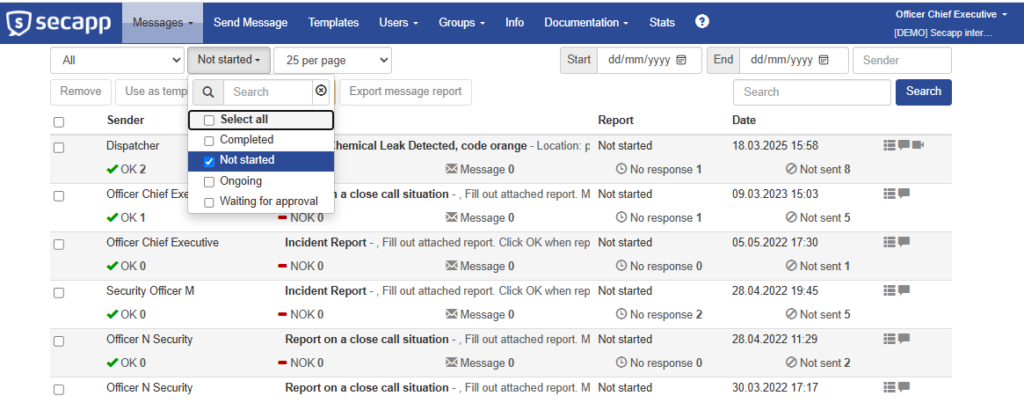
Choose one or more statuses you wish to use for filtering. The filter activates when you click the button again, and inbox updates to only show messages with report status matching your selection. When the button closes, it will show the list of statuses selected for filtering.
Example use case: During an ongoing incident or emergency situation, an operator can filter the Inbox to show only messages whose associated report status indicates that the matter is still awaiting action or is currently being processed. Messages whose reports have already been completed can be excluded from the view. The remaining messages can then be sorted by report status, helping the operator quickly identify which messages require attention next.